Every plan
One page per location, not one page pretending to be several
Every address gets its own page with its own hours, menu highlights and map, so nothing gets averaged across locations.
This is what your location switcher would show
Example only. Every address, hours and status below is illustrative sample data, not a real DinerSites location.
Managed websites for diners and family restaurants across the United States
A fast, fully managed website for diners, family restaurants and small multi-location groups: one location page per address with its own hours and menu, live in 7 days, 90+ PageSpeed, weekly updates and hosting included from one monthly fee.
Plans from $117 a month plus a $647 one-time build fee invoiced after launch. Live in 7 days. Domain, hosting and weekly updates included.
Your locations
90+
Google PageSpeed guaranteed
7
Days to launch on The Single Counter
5
Revisions a month included
After launch
The one-time build fee is invoiced
Honestly, the redesign was nice, but the inquiry form is what changed our day-to-day. The form gathers party size, arrival time and seating needs at the start, exactly the details our follow-up messages always requested. The first message is usually enough to act on now.
Inquiry form and response workflow for diner group visits
Reviews from verified clients, shared with their permission.
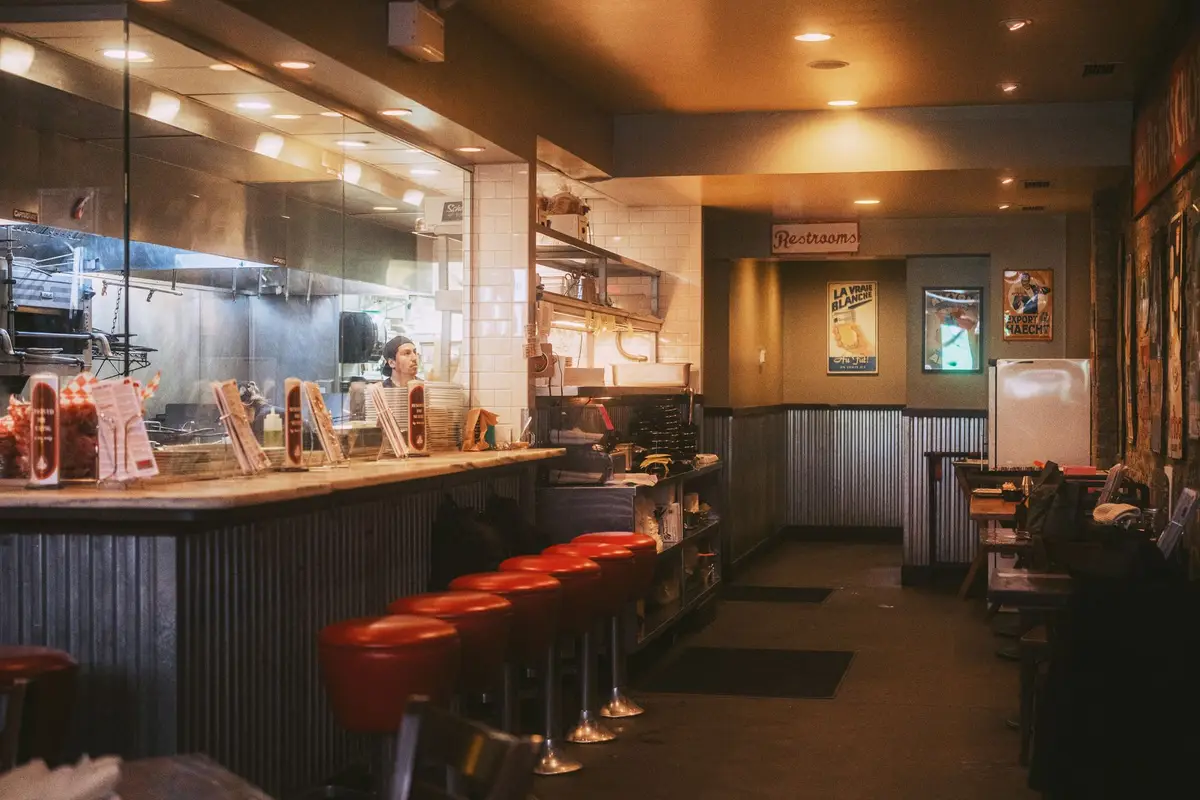
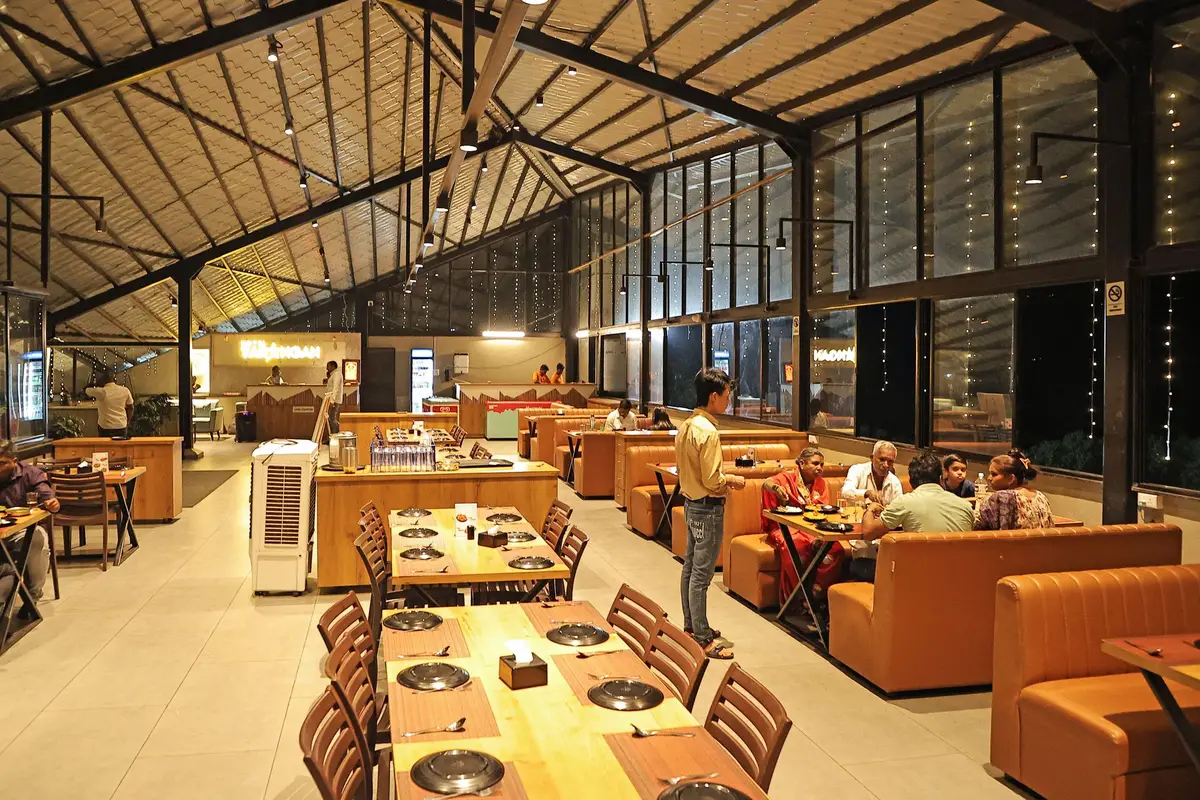
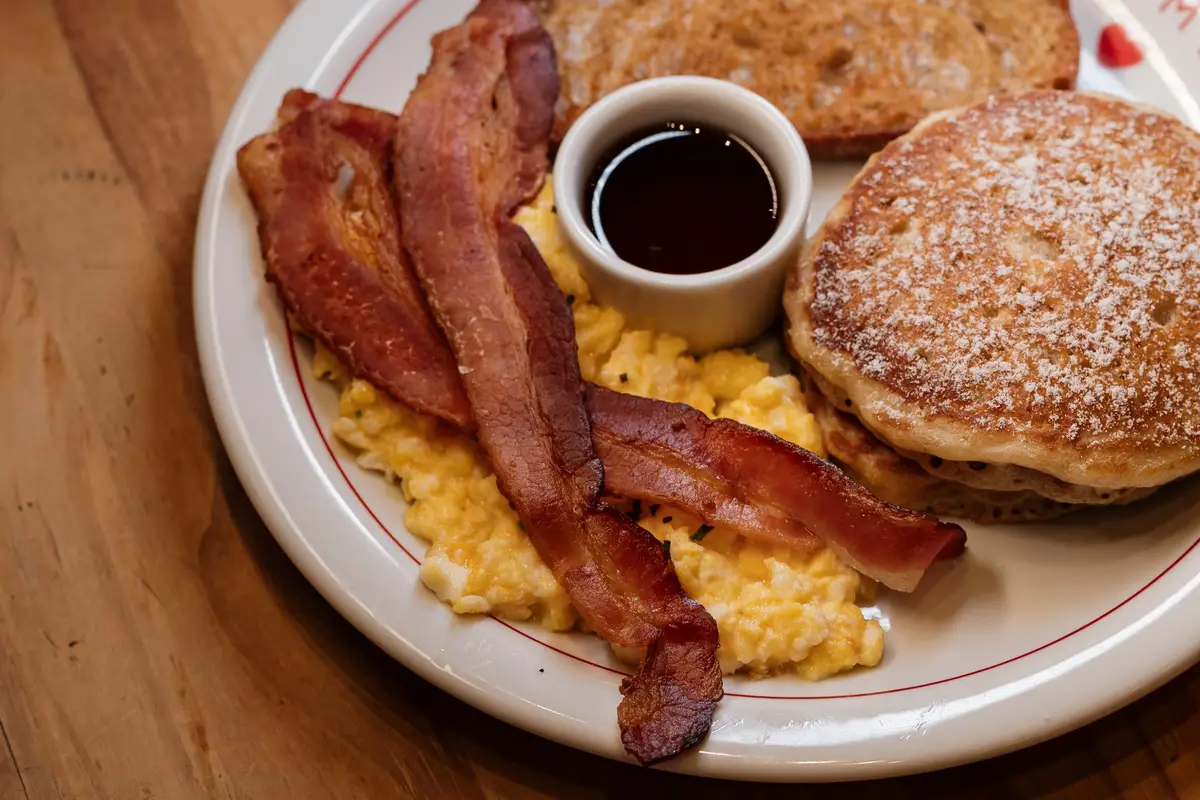
Diners, family restaurants, brunch spots, pizzerias, bar and grill groups, bakeries and small groups of two to five rooms. Pick yours to see the pages it gets.
 Diners
  Family restaurants
  Breakfast and brunch
  Pizzerias
  Bar and grill
  Bakery and cafe groups
  Buffet-style restaurants
  Small restaurant groups
  Multi-unit franchisees
 Photos show the kinds of rooms we build for. They are stock photography, not client locations.
Every one of these starts small: one missed update, one bolted-on location. Left alone, they compound.
A customer drives to a closed door on the day the website said was open.
A price change gets typed into one location and quietly missed on the other two.
It looks like an afterthought and has nothing for a search engine to rank.
A catering request meant for one room gets answered by the wrong team, late.
Adding a fourth location page made everything slower, not just that one page.
More than it looks, because the cost never shows up as a line on a bill. It shows up as a guest who quietly went elsewhere. Here is where it leaks.
A family drives across town on the strength of your website and finds a dark room. They do not call to complain. They go somewhere else, and they remember.
Every "are you open?" call is a question the website failed to answer, taken by someone who should be running the floor during a rush.
An office lunch order sent through a shared inbox on Monday, seen on Thursday. The guest booked someone else on Tuesday.
Your second location has no page of its own, so a search in its town shows the competitor down the road, including to people who would have loved you.
You pay for a click, the page is slow or shows the wrong location, and the guest leaves before it loads. The click is spent either way.
Recognize one of these? A 30-minute demo shows your own locations built the right way.
Stop the leak: book a demoThe fix is structural: shared facts live in one place, location facts live with their location, and nothing has to be remembered by hand.
Hours shown once, for every location
Each address stores its own weekly hours and holiday exceptions, read by every page and the location finder alike.
A menu update typed into three separate pages
Menu items and prices live in one shared place; a change reaches every location page that carries it at once.
A new location with nowhere to belong
A new address gets a page built on the same structure your others already use, live within your plan's normal turnaround.
Enquiries with no idea which room they are for
A form on a location's page is tagged with that location and routed to the right destination automatically.
Shared content pushes out from the brand to every address; each location's own facts, hours, specials, enquiries, route back. This is the actual shape of a multi-location build.
DinerSites
One brand, one shared menu system
Example: Downtown
Its own hours, its own map pin
Example: Riverside
Its own phone number, its own page
Example: Uptown
Shares the menu, sets its own specials
Example: Airport Road
Added later as a revision, not a rebuild
Example locations shown for illustration. The route runs both ways: the brand pushes shared content out, and each location's own facts, hours, specials, enquiries, route back.
Not because it looks nice, although it does. Because every address tells the truth, changes take one message, and growth does not mean a new website project.
A customer sees the correct hours, phone number and menu for the specific room they are driving to, not an average of all your locations.
A price change or a holiday closure is one edit, reflected everywhere it applies.
Each address gets real content tied to its own town, not a copy of the flagship page.
Opening a third, fourth or fifth room is a revision on the system you already have, not a new project.
The foundation every plan shares. Below it, every feature with the plans that carry it, and the honest list of what we do not do.
One page per location plus every core page, custom coded and fast.
Sends visitors to the right address with its own hours already showing.
Registered in your name for as long as your plan is active, or point your own.
Cloudflare hosting with SSL, CDN and DDoS protection, nothing itemized.
Enquiries reach any CRM by direct API, Zapier or Make, per location.
Weekly checks and revisions handled by our team, never a plugin you patch.
Every plan
Every address gets its own page with its own hours, menu highlights and map, so nothing gets averaged across locations.
Every plan
Change a price or a holiday hour once and it updates everywhere it needs to, without a second location quietly falling behind.
Every plan
Custom-coded pages served from the edge, 90+ PageSpeed guaranteed, on the home page and on every location page.
Every plan
A form filled out on the downtown page reaches downtown, not a shared inbox someone checks once a day.
Every plan
We check for stale specials, seasonal hours and outdated photos across every location on a weekly cycle.
Every plan
Two to three researched articles a week, written for your area and your kind of restaurant, published under your name.
Every plan
Cloudflare hosting with SSL, CDN, DDoS protection and unmetered bandwidth included, nothing itemized, whether you run one room or five.
The Route and The Full Circuit
An AI receptionist and site chat that can answer hours, location and menu questions correctly for the right address.
The Full Circuit
Three articles a week, three social image posts a week, two reels a week and a managed Google Business Profile for every location.
Every plan
A tool on your home page that asks where someone is and sends them straight to the right location page, correct hours included.
Every plan
Technical and on-page SEO, a real page per location, answer-first copy, FAQ blocks, structured data (JSON-LD) and an llms.txt file, on every plan.
Every plan
5 revisions a month of any size, each done within 2 to 5 working days, requested from one client portal.
Every plan
One domain included and registered in your name, or your own pointed at the new site, with redirects from your old addresses.
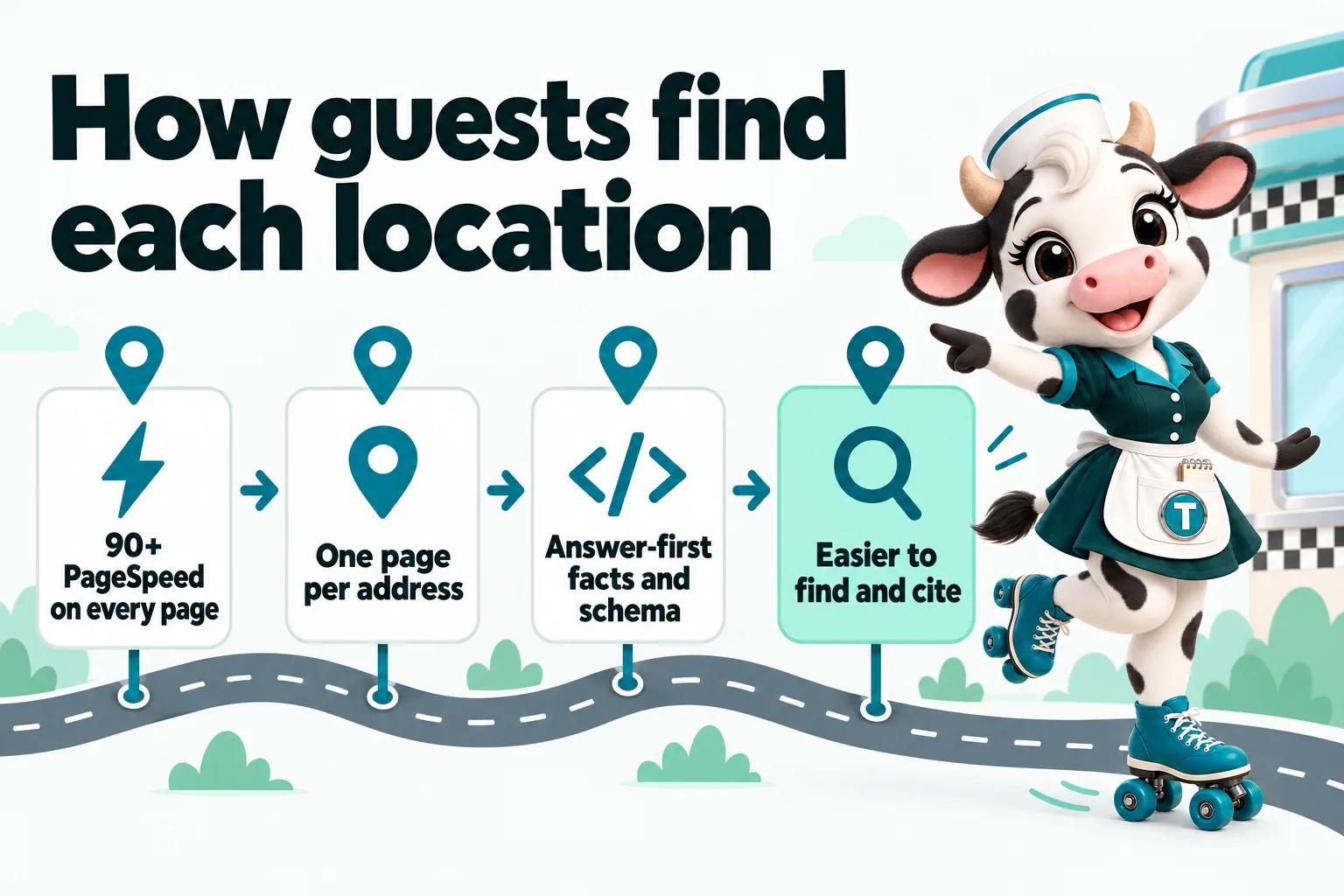
Every page we build opens fast on a phone, including every location page, not only the homepage. That matters twice. A hungry guest in a parking lot who waits for a slow page taps the next result instead. And if you run Google Ads, the page they land on is part of how Google judges your ad.
Google lists landing page experience as one of the parts of Quality Score, and says ad and landing page quality feed into Ad Rank, noting that higher quality ads can often lead to lower costs per click. A fast, relevant location page is part of that picture. It can help lower what you pay per click and helps more of your paid clicks stay on the page instead of bouncing before it loads. We do not promise a specific saving, because nobody honestly can.
Sources: Google Ads Help, "About Quality Score for Search campaigns" (accessed September 18, 2026); Google Ads Help, "About Ad Rank" (accessed September 18, 2026).
90+
Google PageSpeed, guaranteed on mobile and desktop for pages we build and host. If a page drops below it because of our work, we fix it at no charge.
3 to 5 months
Window for your site to start ranking for local searches in your area, or we keep working on it at no extra charge
Through search, answer engines and AI assistants, all of which reward the same thing: clear, consistent, answer-first facts about each place. This is the search work built into your site.
Technical SEO (fast pages, clean addresses, a sitemap, canonical tags, redirects) and on-page SEO (a clear title, description and heading on every page) come with the build. The biggest lever for a restaurant group is the location pages we build for you: one page per address, tied to its own town, so a search for breakfast or a diner near that address can find that room. Paired with researched articles, that is how your second and third locations grow organic traffic from local searches over 3 to 5 months.
Answer engine optimization means writing the way guests ask. Short, direct answers under question headings and FAQ blocks on your pages ("Is the Riverside location open on Sundays?") are what featured snippets, voice assistants and AI answers pull from.
Generative engine optimization makes your site easy for AI assistants such as ChatGPT, Claude, Perplexity and Google AI Overviews to read and cite: plain facts, the same name for each location everywhere, and an llms.txt file summarizing the site. Nobody can guarantee a mention in an AI answer; this is what makes one more likely.
We add schema markup for your business and each location, your FAQ blocks and breadcrumbs, and Review markup only for real reviews. It tells search engines and AI tools exactly what each page is about, and it is what makes rich results possible.
The same six situations, shown as they are today and as they are once the site is built this way.
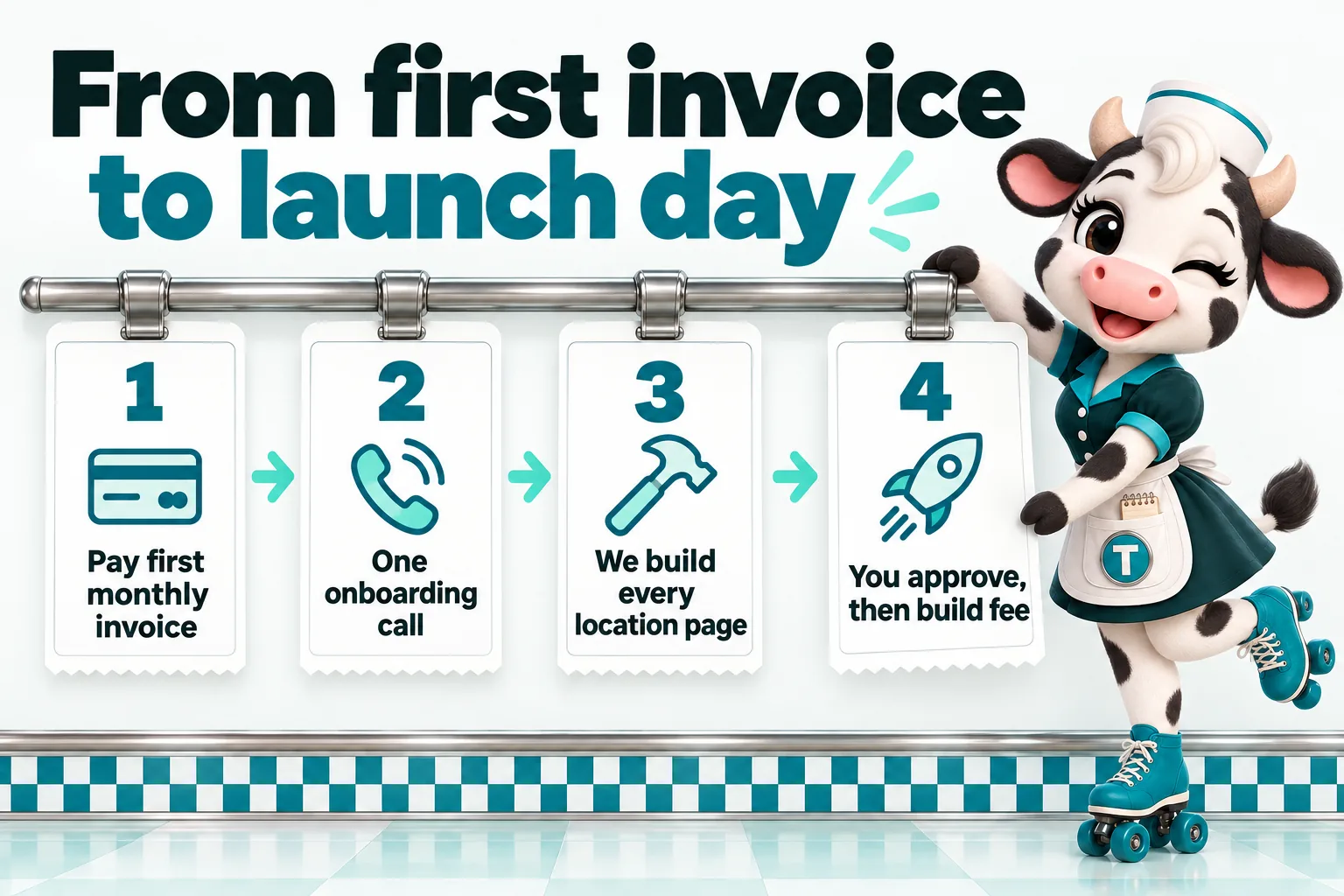
Four steps. Straight after you order you get the onboarding form, and the launch clock starts at the onboarding call, not at purchase.
Step 1
That starts the plan for every location you tell us about. The build fee is not charged yet.
Step 2
Address, hours and what makes each room different, gathered once for the whole group.
Step 3
On the same structure, so a five-location group launches as one coherent site, not five different ones.
Step 4
Live in 7 days on The Single Counter. The one-time build fee only arrives after you have said yes.
From a weekend brunch diner in Oklahoma to a roadside counter in Pennsylvania. Each tile turns over to show the quote as it scrolls into view.
Olive Dabney
Assistant manager, Weekend brunch diner
Tulsa, Oklahoma
Inquiry form and response workflow for diner group visits
“Honestly, the redesign was nice, but the inquiry form is what changed our day-to-day. The form gathers party size, arrival time and seating needs at the start, exactly the details our follow-up messages always requested. The first message is usually enough to act on now.”
Gregory Willoughby
Dining room supervisor, Family-run roadside diner
Harrisburg, Pennsylvania
Mobile navigation and page layout for diner group visits
“We reviewed the draft on handsets rather than a big screen, deliberately. The essentials are within the first screen, with an obvious way to inquire. The days of talking customers through the menu are over.”
Sami Mattar
Weekend shift supervisor, Coastal breakfast and lunch diner
Lexington, Kentucky
FAQ research and editorial review for diner group visits
“We handed over a folder of our real diner group visits replies and let them work from that. Each answer was reviewed by our own staff, so the page sounds like us rather than a copywriter. New starters read it too; it has become our reference, not just the customers'.”
Elias Darnley
Private bookings coordinator, Market town family diner
Tacoma, Washington
Submission acknowledgment and follow-up for diner group visits
“Before this, sending our diner group visits form felt like posting a letter into the dark. The new confirmation states what happens next and how to amend anything that needs changing. Duplicate submissions have dropped away almost completely.”
Luke Saxton
Front desk coordinator, Village center family diner
Worcester, Massachusetts
Preparation guide and inquiry support for diner group visits
“What I value about the diner group visits guide is its restraint. People come to the first call prepared, and nobody has been asked to upload anything premature. First conversations are shorter and better because of it.”
Ursula Goodwin
Front of house manager, High street all-day diner
Chandler, Arizona
Service scope and expectations for diner group visits
“They pushed us to be precise about diner group visits, which felt slow at first and right at the end. It explains what an inquiry achieves and is honest about what still needs a proper discussion. Customers arrive with realistic expectations, which changes the whole tone of the first call.”
Cynthia Claybourne
Owner, Diner with private party room
Savannah, Georgia
Inquiry assignment and staff handover for diner group visits
“We used to forward diner group visits emails around and hope somebody had replied. Now each request has a named owner and enough detail for a colleague to cover it. Holiday cover stopped being an archaeological exercise.”
Aruna Patil
Floor manager, Farm shop breakfast diner
Green Bay, Wisconsin
Structured reference pages for diner group visits
“Converting our diner group visits attachment into proper pages was overdue. The content is the same material, reorganized into headed sections that work on any screen. Callers have stopped apologizing for not being able to read it.”
Reviews from verified clients, shared with their permission.
Running more than one room already?
Plans from $117 a month, live in 7 days. No obligation to buy on the call.
Concretely, not aspirationally. This is the rhythm clients settle into.
Launch week
Every location has its own page. You check each one on your phone, approve it, and only then is the build fee invoiced.
The first holiday
You send one message about Thanksgiving hours for two rooms. Those two pages change; the others do not. Nobody drives to a closed door.
Month three
Researched articles about your towns and your menu are publishing every week under a real byline, and the weekly check has already caught a stale special.
Month six
Your newer locations have pages with a ranking history of their own, enquiries arrive tagged by room, and "are you open?" calls are the exception, not the rush.
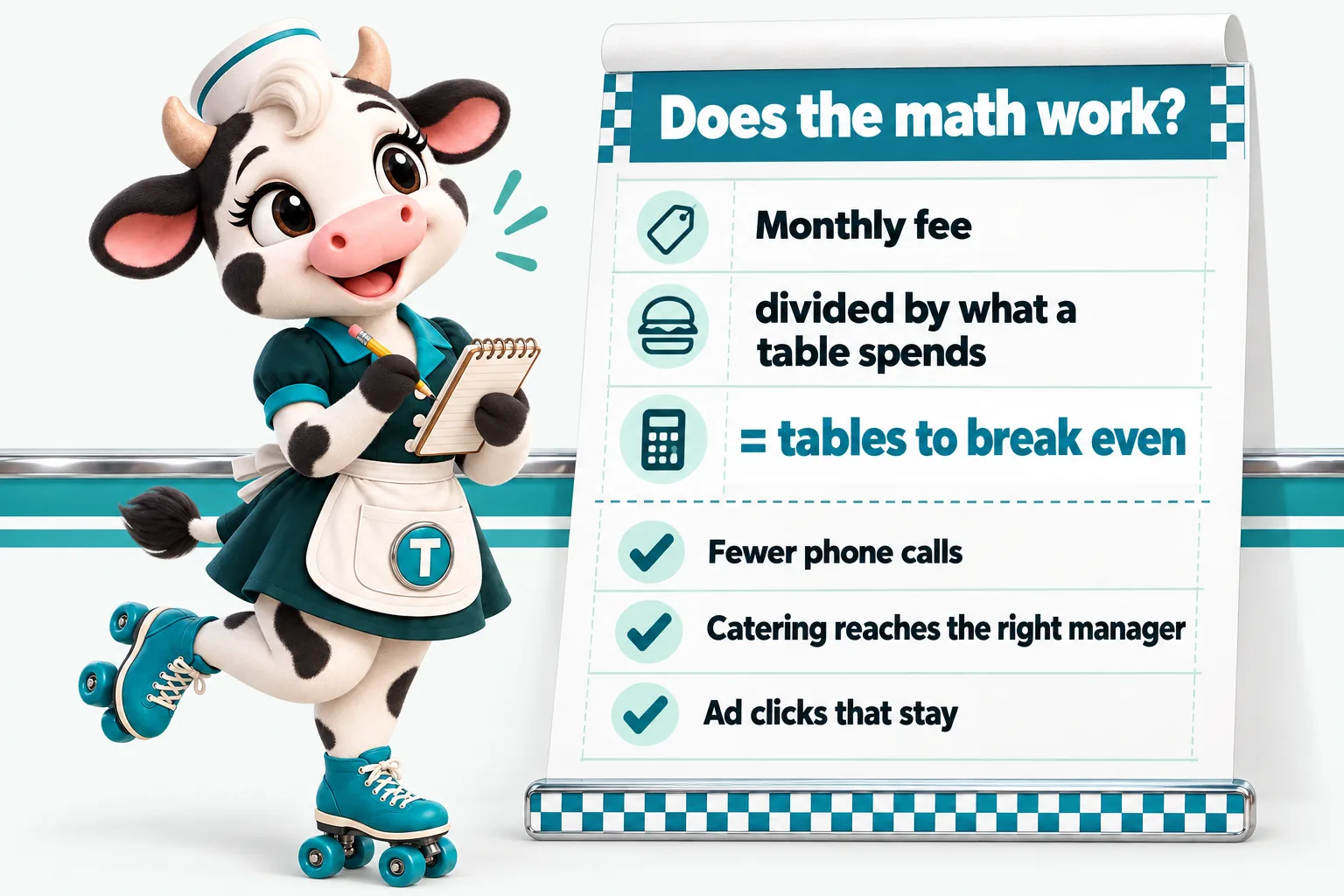
Do this with your own numbers, because nobody knows your average check better than you. Take the monthly fee and divide it by what a typical table spends with you. That is how many extra tables a month the website has to bring in, or save from going elsewhere, to pay for itself.
Then count the other side: the calls your staff no longer take, the catering enquiries that reach the right manager the same day, and the ad clicks that stay on a fast page.
The break-even, per plan
Plus the $647 build fee once, after launch. Hosting, domain and 5 revisions a month are inside the monthly figure.
The Route adds the AI Engine. The Full Circuit adds the Content Engine. Full detail on the pricing page.
The Single Counter
The website, fully managed
$117/ month
plus $647 one-time build fee, invoiced after launch
The Route
Everything, plus the AI Engine
$247/ month + usage
plus $647 one-time build fee, invoiced after launch
The Full Circuit
Everything, plus the Content Engine
$597/ month
plus $647 one-time build fee, invoiced after launch
The risk sits with us where it reasonably can. Here is exactly what we promise, with the conditions in view.
The $647 one-time build fee is invoiced only after your site is live and you have told us you are satisfied with it. Cancel before the build starts and no build fee is charged.
On mobile and desktop, for pages we build and host. If a page drops below 90+ because of our work, we fix it at no charge.
If your site has not started ranking for local searches in your area within 3 to 5 months of launch, we keep doing the search work at no additional charge until it does.
No long contract. Email us at least 2 business days before your next invoice date (business hours are 9:00 to 17:00 Central Time, Monday to Friday, excluding United States public holidays) and no further invoice is raised.
Registered in your name. If you leave, we transfer it at no charge and send an export of your content and articles.
The fine print, in plain words: all sales are final, and neither guarantee is a refund. They do not cover changes made by you or third parties, or rankings for terms outside your area. Full wording is in the terms and the refund policy.
Every site we build ships with the pages and standards a US restaurant website is expected to have, so you are not piecing them together later.
Written for your restaurant and linked from every page and form, so guests can see how their details are used.
Analytics and marketing tags wait until a visitor accepts. A banner that blocks nothing is worse than none, so ours gates the scripts for real.
Readable contrast, keyboard access, alt text and real text menus instead of a scanned PDF. It helps you meet the accessibility expectations guests and the ADA place on restaurant websites; it is not a legal certification.
On plans with the AI Engine, forms that lead to texts carry clear opt-in and opt-out wording with TCPA rules in mind, and we file A2P 10DLC carrier registration for you. Your own messaging practices remain yours.
A clearly labeled place for the notices your locations need, such as an ID policy at a bar and grill or a consumer advisory line on a menu. You supply the wording; we never give food safety, allergen or licensing advice.
Reviews on your site are real ones you have permission to show, and never marked up in ways they should not be, with the US FTC rule on reviews and testimonials in mind.
These pages and standards help you meet common obligations for a US restaurant website; they are not legal advice, and you remain responsible for your own compliance. References: W3C, Web Content Accessibility Guidelines (WCAG) overview (accessed September 18, 2026); US Federal Trade Commission, rule on the use of consumer reviews and testimonials, 16 CFR Part 465 (accessed September 18, 2026).
Anywhere in the United States. Everything runs remotely: onboarding, the build, reviews and revisions. We work with diners, family restaurants and small groups in New Jersey, Pennsylvania, New York, Ohio and Illinois, and just as happily in Texas, Florida, Georgia, California and North Carolina. Your location pages are written about your own towns, never a template with the city name swapped.
Our business hours: 9:00 to 17:00 Central Time, Monday to Friday, excluding United States public holidays.
A small team with one job: websites for restaurants that have more than one thing to get right. More on the about page.
Runs the one onboarding call, collects every location's details and agrees your launch date.
Builds every page on the shared system, checks speed and accessibility, and makes your revisions.
Research and write your articles under a real byline, about your towns, your dayparts and your menu.
Revisions, tickets, files and messages in your client portal, answered by a person, not a queue.
Each option suits somebody. Here is the honest version, with a full comparison behind each one on the compare page.
| Option | The honest trade-off | Read more |
|---|---|---|
| Do it yourself on a builder | Cheapest in money. The build is quick; the weekly upkeep across several rooms is yours forever. | Builder comparisons |
| Hire a freelancer | Can be excellent for a one-off build. Changes wait on one person's availability, and hosting is usually separate. | Freelancer vs us |
| Hire a marketing agency | Worth it when you want ads, PR and social run together. Often more scope, and more retainer, than a website problem needs. | Agency vs us |
| Keep the current site | Costs nothing today. Costs a drive, a call or a catering order every time a detail is wrong. | What that costs |
A custom-coded website with one page per location, a shared menu system, a location finder, enquiry forms routed into your CRM, managed hosting, one domain in your name, weekly detail checks, 5 revisions a month and 2 researched articles a week. The Route adds the AI Engine; The Full Circuit adds the Content Engine with social posts, reels and Google Business Profile management.
We do not run paid ads, take photographs, supply an online ordering or point-of-sale system, or give food safety, allergen or licensing advice. We link to the ordering, reservation and delivery services you already use, and we build your own photos into the site.
Fill in the onboarding form, about 15 minutes per location, join one onboarding call, and approve the site before launch. After that you send changes in plain words from your client portal and we make them.
Yes. We build and manage sites remotely for restaurant operators across the United States, from diners in New Jersey and Pennsylvania to family restaurants in Texas and brunch spots in Georgia. Your location pages are written for your own towns.
A builder is a tool you operate yourself. This is a service: we build the site, host it, check it weekly, write articles and make your changes. See the side-by-side comparisons for Wix, Squarespace, WordPress, GoHighLevel and others.
It can. Google says ad and landing page quality is part of how ads are ranked and that higher quality can often lead to lower costs per click. Fast, relevant location pages help more of your paid clicks stay on the page. We do not promise a specific saving.
Nobody can guarantee that. What we do is make it more likely: answer-first copy, FAQ blocks, consistent facts for every location, structured data and an llms.txt file, so AI assistants can read and cite your site accurately.
Yes. Every review on this site is a real statement from a client team, shared with their permission, and shown with their name, role, type of restaurant and city. We do not show star ratings or invent totals, and the detailed stories behind the work are on the case studies page.
The site is built the same way: one location page on the same system a five-room group uses. If you open a second address later, its page is one revision, not a rebuild.
Only after your site is live and you have told us you are satisfied with it. You pay the first monthly invoice to start; the $647 build fee is invoiced after launch.
Talk to a person, see a location page built for your kind of restaurant, and leave knowing the plan and the launch date.
DinerSites uses the cookies below. Necessary cookies keep the site working and cannot be turned off.
Saved on this device only. Press Esc to close.